Somewhere in your inbox there is probably an email offering to make your website ADA compliant for a few dollars a month. Paste in one line of JavaScript, a small accessibility icon appears in the corner of your site, and the problem is solved. It is the most tempting product in this market. In April 2025 the Federal Trade Commission approved a final order requiring the company behind one of the best known versions of it to pay $1 million.
That single fact is the most useful thing a small business owner can know about web accessibility right now, because it rules out the shortcut almost everyone reaches for first. This guide covers what the law actually asks of your site, what usually breaks, how to test your own website in about twenty minutes without buying anything, and what an honest fix involves.
The overlay trap
Accessibility overlays are third party scripts that sit on top of an existing website and try to patch problems in the browser: guessing missing image descriptions, adjusting contrast, offering a menu of display options. The pitch is that compliance becomes a monthly subscription instead of a project.
The FTC complaint against accessiBe was filed in January 2025 and finalized by a 5-0 vote in April 2025. It alleged two things. First, that the company represented its accessWidget product could make any website compliant with the Web Content Accessibility Guidelines when it could not. Second, that it published paid endorsements formatted to look like independent reviews. The order requires a $1 million payment and bars those compliance claims unless the company has evidence to support them.
The litigation data points the same way. UsableNet, which tracks web accessibility lawsuits, counted 4,928 filings in 2025 and reported that cases against companies already running an accessibility widget went up rather than down. An overlay is not a defense, because it does not change the underlying code that a screen reader actually reads.
None of this makes the tools worthless. Some of them genuinely help some users. It means you cannot buy your way out of the work with one line of code, and any vendor who still says otherwise now has a federal order to explain.
Does any of this actually apply to my business?
The ADA has no small business exemption
This one surprises people, so it is worth being blunt. Title III of the Americans with Disabilities Act covers places of public accommodation, and there is no threshold by employee count or revenue that puts a small business outside it. Courts have consistently applied Title III to websites. A five page site for a dental practice is in scope in the same way a national retailer is.
What the ADA does not contain is a technical standard. It names no version of WCAG and provides no checklist you can sign off against, which is exactly why the market is full of people willing to sell you certainty. In practice, WCAG 2.1 Level AA is the floor that courts and settlement agreements reference, and WCAG 2.2 Level AA is the sensible target for anything being built today.
The 2027 and 2028 deadlines you have read about are not yours
A great deal of content published this year tells small businesses they have until April 2027 or April 2028 to get compliant. That is a misreading, and acting on it would be a mistake in both directions.
The Department of Justice rule carrying those dates, extended in April 2026 to 26 April 2027 for large entities and 26 April 2028 for small entities and special districts, is a Title II rule. Title II covers state and local government: city websites, public universities, school districts, transit agencies. If you run a private business, that deadline was never yours. You are under Title III, which has applied since 1990. There is no countdown, and no grace period, because there was never a start date to wait for.
The European Accessibility Act reaches further than people expect
Since 28 June 2025 the European Accessibility Act has applied to products and services sold to consumers in the European Union, including ecommerce, consumer banking, ebooks, transport booking and telecoms. The obligation follows the customer, not the company address, so a Houston business that ships to Germany is in scope. The technical standard is EN 301 549, which currently points back to WCAG 2.1 Level AA, so the work itself is the same work.
There is a micro enterprise exemption for service providers with fewer than 10 staff and under 2 million euros in annual turnover or balance sheet total. One detail catches people out: the United Kingdom is not covered by the EAA. A London address does not create the obligation and does not remove it. What matters is whether you sell into the EU.
What actually breaks
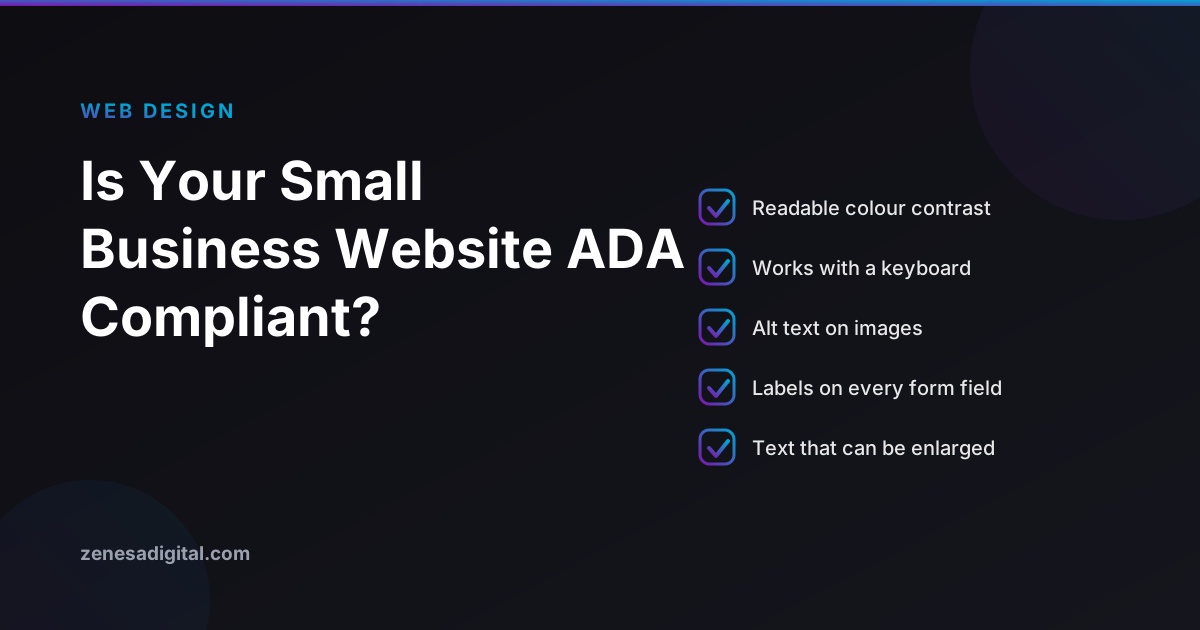
The encouraging part is how repetitive the failures are. WebAIM tests the home pages of the top one million websites every year. Its February 2026 run found detectable WCAG failures on 95.9% of them, up from 94.8% the year before, averaging 56.1 errors per page. Six error types accounted for 96% of everything detected. Five of them are these:
- Low contrast text, on 83.9% of home pages. Light gray body copy on white, or white text over a photograph. It is the single most common failure on the web and usually the easiest to fix, because it is a value in a stylesheet.
- Missing image alt text, 53.1%. Every meaningful image needs a short description of what it shows. Decorative images should carry an empty alt attribute so screen readers skip them rather than read a filename aloud.
- Missing form input labels, 51%. A placeholder is not a label. It disappears the moment someone types, and screen readers do not reliably announce it. Every field in your contact form needs a real label tied to the input.
- Empty links, 46.3%. Usually icon only links, such as the social media icons in a footer, with no text inside them. A screen reader announces them as link and nothing else.
- Empty buttons, 30.6%. The hamburger menu, the search icon, the arrows on a slider. All buttons, all unlabeled, all invisible to anyone not using a mouse and a pair of eyes.
Read that list again with your own website in mind. Every item on it is something a web designer controls, none of it requires a rebuild, and not one of them is fixed by a widget in the corner of the screen.
How to check your own site in twenty minutes
You do not need to buy anything to find out roughly where you stand. Open your own website and work through these.
- Put the mouse away. Press Tab repeatedly from the top of the page. You should be able to reach every link, button and form field, always see clearly which item is focused, and move in an order that matches the visual layout. If the focus outline is invisible, or Tab disappears into a menu you cannot escape, that is a real failure for keyboard and screen reader users alike.
- Zoom to 200%. Use Ctrl and plus, or Command and plus, until the page is at double size. Text should reflow and stay readable. If content overlaps, gets cut off or forces you to scroll sideways, you have a problem that affects a very large number of people with ordinary low vision.
- Turn the images off. In your browser settings, block images and reload. What remains is roughly what a screen reader user gets. If your services or your prices were inside a graphic, they have just vanished.
- Check contrast on your brand colors. Any free contrast checker will do. Normal body text needs a ratio of at least 4.5 to 1 against its background, and large headings at least 3 to 1. Pay particular attention to buttons and to text sitting over hero images. Once a pair passes, write it down: our guide to what a brand style guide should include shows how to keep a short list of approved text and background colours so nobody reintroduces a failing one.
- Submit your own contact form with an error. Leave a required field blank. The error should be described in words next to the field, not signaled by turning the border red, and the message should say what to do about it.
- Play any video. If it carries spoken information that matters, it needs captions. Auto generated captions are a starting point, not a finish line.
Write down what fails. That list is worth more to a developer than any automated report, because it is grounded in your actual pages. Our small business website checklist covers the rest of the launch fundamentals that sit alongside this.
What a real fix involves
Start with an automated scan, because it is free and it catches the cheap wins. Then accept its limits. Automated tools detect roughly a quarter to a third of WCAG issues, and in December 2023 the European Commission stated plainly that full compliance without manual intervention is not realistic. A scanner can tell you an image has no alt attribute. It cannot tell you whether the alt text you wrote describes the image usefully, or whether your tab order makes sense.
So the work goes in two passes. The automated pass clears contrast values, missing alt attributes, unlabeled fields and empty buttons. The manual pass is a person going through the site with a keyboard and a screen reader, checking that the page is understandable in the order it is read.
Fix it in the template, not page by page. On most small business sites the same header, footer, navigation and form appear everywhere, so a handful of template level corrections resolve the majority of instances at once. That is also why accessibility is dramatically cheaper to handle during a build than to retrofit afterwards, and why it belongs in the brief when you commission a new website rather than in a panic afterwards.
If you sell online, move this up your list. UsableNet reported that roughly 70% of 2025 accessibility lawsuits targeted ecommerce, and that 1,427 of the filings named a company that had already been sued before. Checkout flows, product filters, size pickers and modal windows are where the hardest problems live, which is worth factoring in when you budget for an ecommerce website.
What anyone can honestly promise you
Here is the part most companies selling accessibility leave out.
For a typical small business brochure site, you can get most of the way there with four things: readable contrast, real alt text, properly labeled form fields and a sensible keyboard order. That is a genuinely achievable piece of work, and it improves the site for every visitor, not only those using assistive technology. Clearer contrast and labeled forms measurably reduce the number of people who give up on a contact form.
What no agency can hand you, including us, is a guarantee of legal compliance. There is no certification body for the ADA, no government stamp, and no vendor who can promise a lawsuit will never arrive. Anyone offering that guarantee is describing something that does not exist, which was the FTC finding in the first place. What is real is a documented, good faith effort: know where your site stands, fix what you find, write down what you did and when, and publish an accessibility statement saying how someone can report a problem to you. That statement is one of the most valuable pages on an accessible website, and almost nobody has one.
We build websites, and we take the items above seriously as part of building them well. We do not sell accessibility audits or certification, and we will not tell you a site is legally compliant. If you want a straight answer about where your current site stands, get in touch and we will tell you what we see.
Frequently asked questions
Does the ADA apply to small business websites?
Yes. Title III of the Americans with Disabilities Act covers places of public accommodation and contains no exemption based on employee count or revenue, and courts have consistently applied it to websites. What the ADA does not include is a technical standard, so there is no official checklist to sign off against. In practice WCAG 2.1 Level AA is the floor that courts and settlement agreements reference, and WCAG 2.2 Level AA is the sensible target for a site being built today.
Do accessibility overlays and widgets make a website compliant?
No, and the Federal Trade Commission has now said so with money attached. In April 2025 the FTC approved a final order requiring accessiBe to pay 1 million dollars over claims that its accessWidget overlay could make any website WCAG compliant, and over paid endorsements formatted to look like independent reviews. Litigation tracker UsableNet also found that lawsuits against companies already running an overlay went up rather than down. Overlays can help some users, but they do not change the underlying code and they are not a defense.
Do small businesses have until 2027 or 2028 to comply?
No, and this is the most common mistake in articles written for small businesses. The Department of Justice deadlines of 26 April 2027 for large entities and 26 April 2028 for small entities and special districts belong to a Title II rule, which covers state and local government bodies such as city websites, public universities and school districts. Private businesses fall under Title III, which has been in force since 1990. There is no grace period because there was never a start date to wait for.
Does the European Accessibility Act apply to a business based in the United States?
It can. Since 28 June 2025 the European Accessibility Act has applied to products and services sold to consumers in the European Union, including ecommerce, consumer banking, ebooks, transport booking and telecoms, and the obligation follows the customer rather than the company address. A Houston business that ships to Germany is in scope. Service providers with fewer than 10 staff and under 2 million euros in annual turnover or balance sheet total are exempt. Note that the United Kingdom is not covered by the EAA, so a London office neither creates nor removes the obligation.
How much work is it to make a small business website accessible?
Less than most owners fear on a small brochure site, and more than a widget suggests. Most real world failures come from a handful of repeated problems: low contrast text, missing image alt text, missing form labels, empty links and empty buttons. On a five to ten page site those are usually template level changes measured in hours rather than a rebuild. Sites with complex interactive features, custom checkouts or heavy use of sliders and modals take longer, because they need manual testing rather than an automated scan.
In short
Accessibility is not a widget you install and it is not a deadline you are waiting on. It is a small, repeatable set of fixes that you can largely find yourself with a keyboard and twenty minutes, and that a developer can resolve in your templates rather than page by page. Do the work honestly, write down what you did, and skip anything that promises compliance in one line of code.
